
Ask your drawings the way you'd ask a veteran engineer
Kizai connects 2D/3D drawings, BOMs, ERP/PLM data and production history into one shared knowledge base. Design, purchasing and production just ask: the AI finds similar parts, checks DFM and estimates cost.
2 points to review before approval
- Inner corner radius R0.5 is smaller than the shop's standard end mill.
- ±0.01 tolerance on a non-mating face. Loosening it would cut machining time.
3 similar drawings already exist: BR-1877, BR-1902, BR-2010.
Sample data.
More than 200 manufacturers have chosen Kizai Solution

















Your factory's know-how is scattered everywhere
Every drawing, order and defect report holds hard-won experience. The problem is that nobody can find it when it matters.
Finding an old part means remembering its number
Drawings live in PLM, ERP, shared drives and email. If you don't know the part number or file name, it might as well not exist.
Existing parts get designed again
When the old drawing can't be found, engineers start from scratch, which means new fixtures and new quotes too.
RFQs are matched by hand
Purchasing checks each drawing against past prices and suppliers, spending days on every package.
Review experience lives in a few people's heads
Lessons from past drawing reviews aren't recorded, so the same DFM issues come back on the next project.
Five modules for a part's whole life cycle
Use one module or combine them. They all run on the same data foundation.
AI Visual Search & Explorer
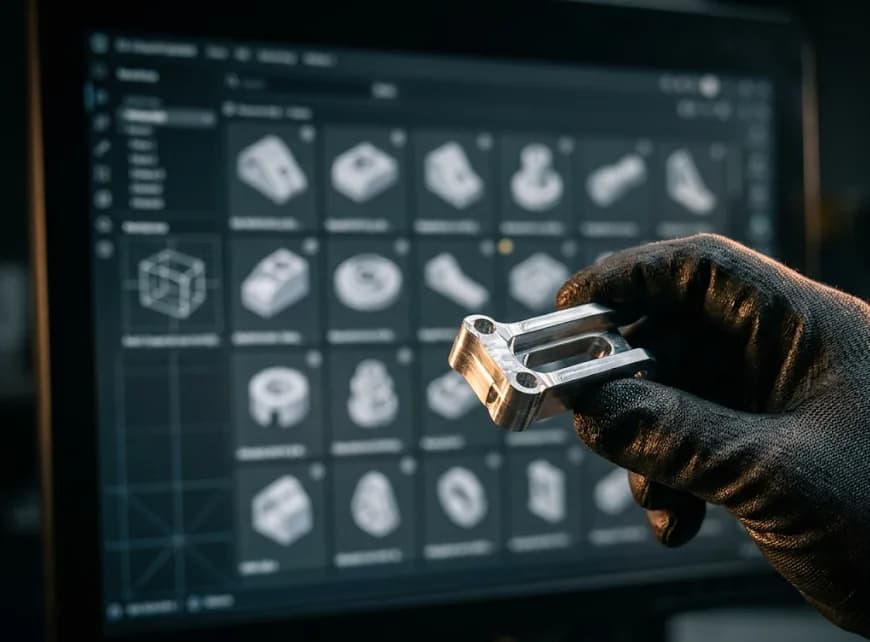
A search engine for geometry and technical data across the whole company.
Search by shape
Find parts from a 3D model, a 2D drawing, a photo of the real part or a hand sketch.
No part numbers needed
Locate similar parts across PLM, ERP and shared drives without remembering numbers or file names.
Compare revisions
See dimension and tolerance changes between drawing revisions side by side.
One platform, four layers of data
From scattered files to answers you can trace. Each layer builds on the one before.
- 2D/3D CAD
- PDF, images
- PMI extraction
Layer 1: Data layer
Ingest and extract any format
Ingests 2D/3D CAD, PDFs, photos and documents. Automatically extracts dimensions, GD&T tolerances, materials, surface finish and title blocks as structured data.
- BOM
- ERP / PLM
- Quality reports
Layer 2: Knowledge graph
Linked by meaning
Links every part to its drawings, ERP orders, quality reports and suppliers, so one question returns the full context.
- Geometric search
- Chat with your data
- AI agents
Layer 3: Search & AI agents
Ask with images, drawings or words
Search with a photo, a 2D sketch or a 3D model. AI agents analyze in your company's own context: standardizing parts and scoping the impact of a defect.
- Design
- Purchasing
- Production
Layer 4: Workflow apps
For each department
Automates repetitive work in design, purchasing and production engineering, and turns veteran engineers' tacit knowledge into a shared asset.
Try asking Kizai
Suggested questions
Sample data. A real demo runs on your own factory's data.
Pick a suggested question to see how Kizai answers.
Connects to the systems your factory already uses
Kizai reads data where it already lives. Nobody has to switch tools.
CAD
- SolidWorks
- Siemens NX
- PTC Creo
- CATIA
- Inventor
- Fusion 360
- STEP
- DWG/DXF
PLM / PDM
- Teamcenter
- Windchill
- 3DEXPERIENCE
- SolidWorks PDM
ERP / CMMS
- SAP
- Oracle
- SharePoint
- In-house ERP
Security
Your data stays yours
Drawings and designs are never used to train public models.
Cloud or on-premise
Deploy in the cloud or on your factory's own servers (Docker/Kubernetes).
Multi-level permissions
Set access by department, project and customer.
Customer stories
Results Kizai Solution has delivered in customer plants.

KIZAI IoT FACTORY: EMS Power, EMS Gas, EMS Machine
Digital energy and equipment monitoring across casting, boilers and compressed air
- Survey and proposal in 5 days
- 14 days to install, 2 weeks of training, then go-live
- Automatic energy and CO₂ reports for ESG filings
- Now expanded into a third phase

KIZAI IoT FACTORY: EMS Power, EMS Gas
Real-time power and LPG monitoring on the road to Net Zero
- 20% performance gain in 6 months
- Threshold alerts by light, siren, SMS and email
- Energy converted to CO₂ emissions automatically
- Manual energy reporting retired
About Kizai Solution
Kizai Solution advises manufacturers on digital transformation and implements it, with a team of engineers who have worked in Japan. We bring Japanese care, discipline and quality standards to every project.
More about Kizai Solution- Companies
- 200+
- Projects delivered
- 100+
- Years of experience
- 10+
- Technical support
- 24/7
Japanese–Vietnamese engineers
Experience advising large groups in Japan and Vietnam.
Meticulous process
We work to strict Japanese rules and quality standards.
Tailored to your plant
Configured for how each factory works, not a one-size process.
Long-term support
24/7 technical support, maintenance and ongoing updates.
The Kizai product family
Kizai AI works alongside the Kizai systems your plant may already run.
- KIZAI ERP
- KIZAI MES
- KIZAI HRM
- KIZAI PMS
- KIZAI RPA
- KIZAI LIMS
- KIZAI IoT FACTORY
- EMS Power
- EMS Machine
- EMS Cooling
- EMS Gas
- EMS Water
How we work together, in 5 steps
You see the solution running on your plant's data before you get a quote.
Step 1
Survey & analysis
Kizai engineers learn your systems, data and real requirements.
Step 2
Trial & quote
You try a demo on sample data and understand the solution before we quote.
Step 3
System setup
We prepare servers (cloud or on-site), connect CAD, PLM and ERP, and set permissions.
Step 4
Rollout & training
We install on site and train each department in detail.
Step 5
Maintenance & upgrades
Ongoing maintenance, 24/7 support and regular new features.
Frequently asked questions
Where is our drawing data stored?
You choose: in the cloud or on your factory's own servers (Docker/Kubernetes).
Does Kizai use our drawings to train AI?
No. Your drawings and designs are never used to train public models.
Which file formats does Kizai read?
2D/3D CAD (SolidWorks, NX, Creo, CATIA, Inventor, STEP, DWG/DXF), PDFs and photos of drawings.
Which systems does Kizai connect to?
PLM/PDM such as Teamcenter, Windchill, 3DEXPERIENCE and SolidWorks PDM, and ERP such as SAP, Oracle, SharePoint or an in-house ERP.
Who in the company can see which data?
Access is set by department, project and customer.
How does the demo work?
A Kizai engineer runs a 1-on-1 demo on your factory's sample data, then recommends a POC plan that fits your size.
How much does Kizai cost?
It depends on your size and deployment type. You try Kizai on sample data first, then we send a detailed quote.
See the AI work on your own drawings
Send a few details and a Kizai engineer will prepare a demo on your factory's sample data.
- 1-on-1 demo with a Kizai engineer
- Try it on your real drawings
- A POC plan that fits your size
Or contact us directly
- Phone
- +84 38 631 2345
- kiennguyen@kizai.vn
- Address
- X5, Tráng Việt, Mê Linh, Hà Nội, Vietnam
- Hours
- Mon – Fri, 08:30 – 17:30 (GMT+7)